Access - MySql
migrating instructions (by Modifichicci)
Forums based on Snitz code are faster when the db is a MySql db.
To migrate the db from Access to MySql whitout loosing data there is a
procedure that is quick and sure.
First:
Check if the files admin_mod_dbsetup.asp and admin_mod_db_setup2.asp in
the zip of the forum you have downloaded
have these lines at line 277 for the first and at line 311 for the
second:
case "mysql"
strSql
= strSql & idFieldName &" INT (11) DEFAULT '' NOT NULL auto_increment
"
In this case you have to change them to:
case "mysql"
strSql
= strSql & idFieldName &" INT (11) NOT NULL auto_increment "
deleting the DEFAULT ''
Search in your inc_create_forum_mysql.asp
All the definition of fields that have an autoincrement in .
Such as..
strSql = "CREATE TABLE " & strTablePrefix &
"FORUM ( "
strSql = strSql &
"CAT_ID int (11) DEFAULT '1' NOT NULL , "
strSql = strSql & "FORUM_ID smallint (6) DEFAULT '0' NOT NULL
auto_increment, "
delete the DEFAULT ‘0’
That is because the MySql
from 4.011 doesn’t want a default value for autoincrement fields.
Now you are ready to install a new forum in MySql.
Install a new version of the
forum you want directly in MySql so it creates the tables setting the right
default values.
Lead the forum to work properly.
If you doesn’t want a portal
version skip the following passage.
Upload the dbs file in your forum directory.
Go on admin page and choose mod setup.
Run FIRST the Image dbs and THEN the Portal dbs.
At this point the forum cannot work.
Upload in your forum dir the portal files.
Rechange the db pointer in your config as said before. ( and follow the
instructions for the language setup in the installing guide..)
Go to admin_home,asp page and run check installation.
Lead the portal to work properly.
TO MIGRATE YOUR DB
What do you need?
A mysql account
( http://vademecum.aruba.it/start/mysql/download/mysql-4.0.16-win.zip )
( http://vademecum.aruba.it/start/mysql/download/MySQL-Front_2.4_Setup.exe )
1) Installation of MySQL
Download the file, unzip it in a folder of your hard disk
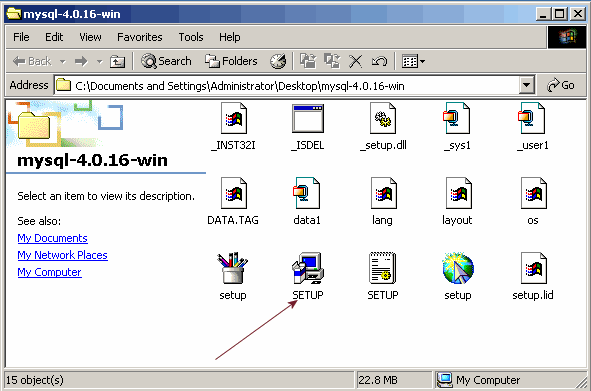
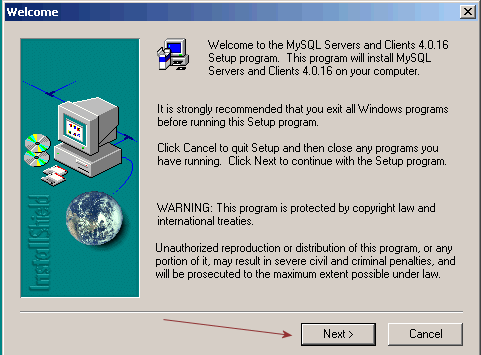
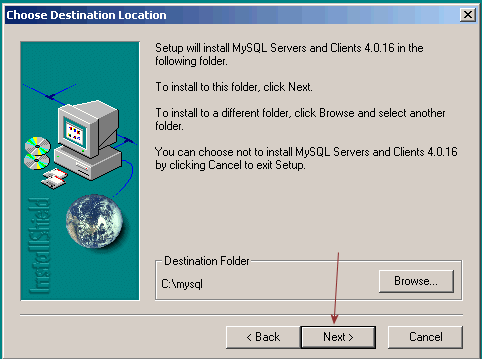
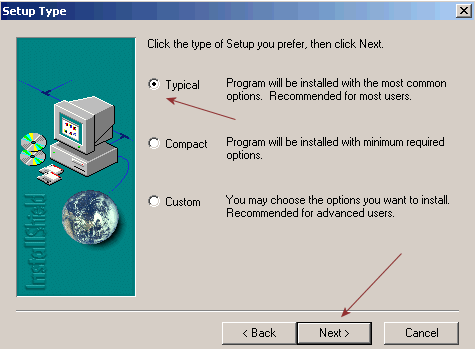
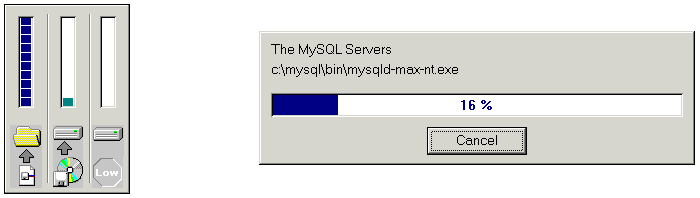
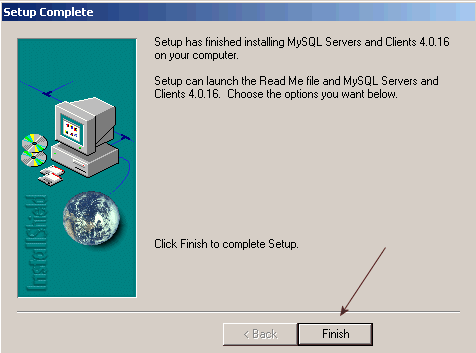
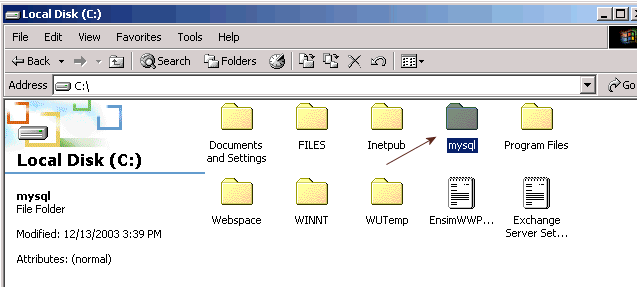
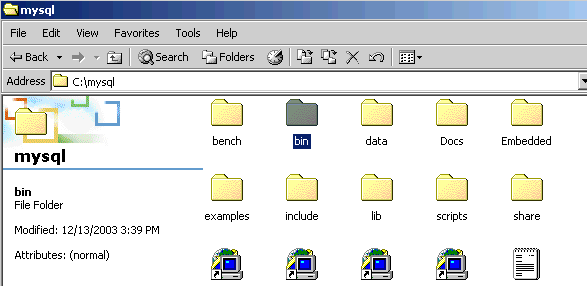
Setup is finished, go on drive C and open the folder mysql/bin
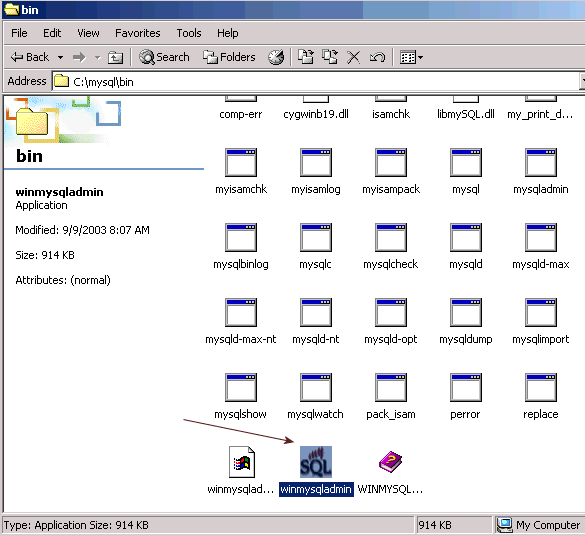
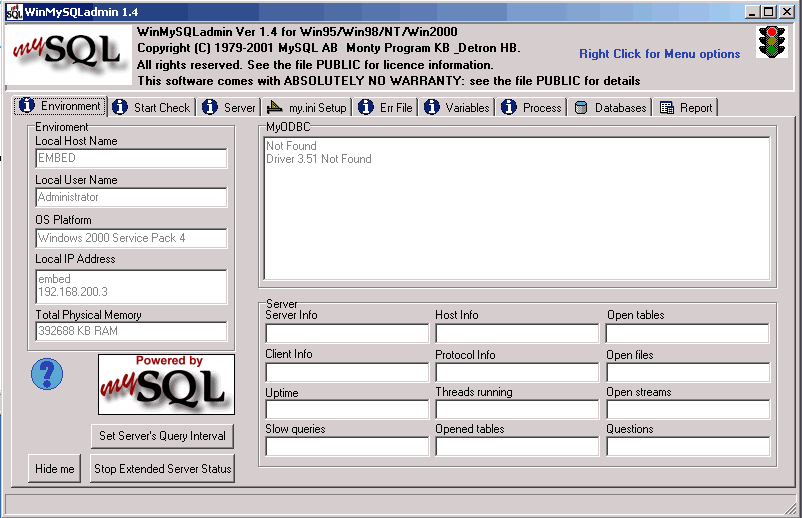
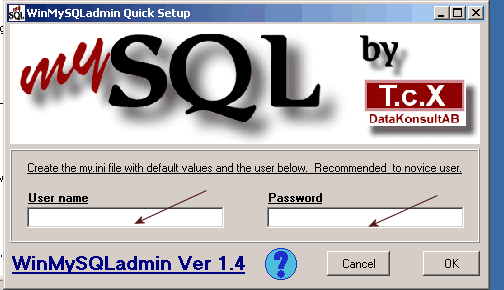
Set username and password as you
like
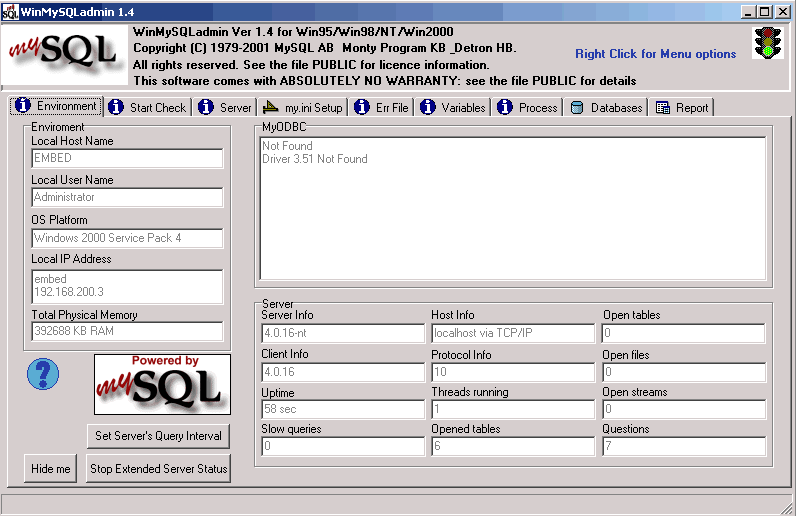
server mysql on your machine is configured the light is green!
2) MySql
Front - Installation–
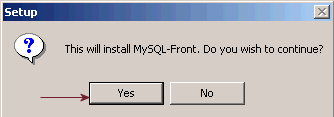
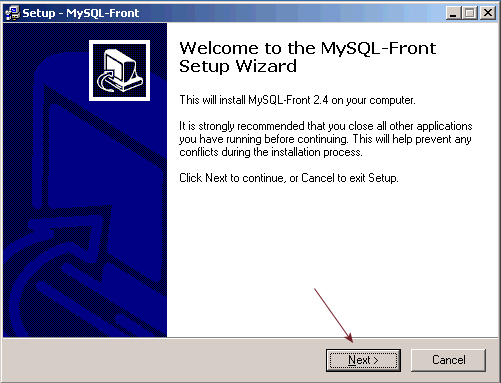
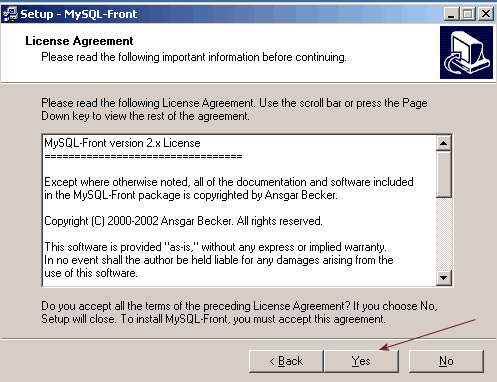

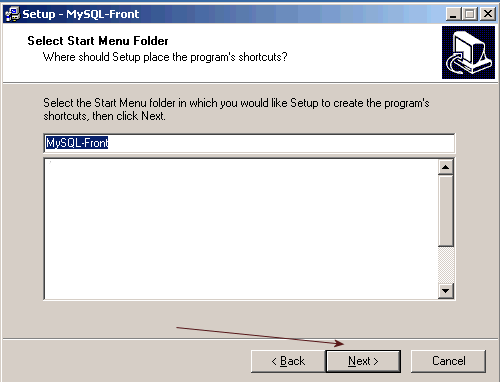
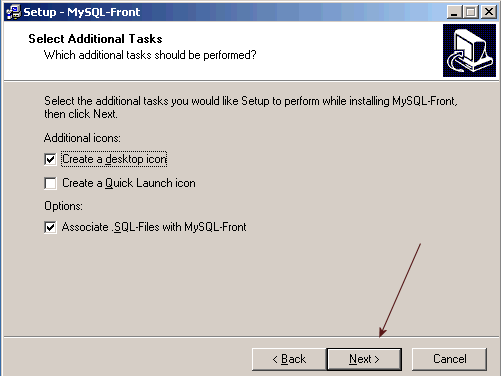
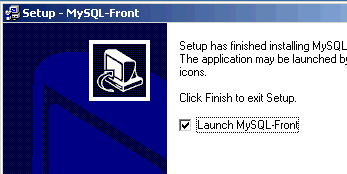
clik on finish and open MySql Front

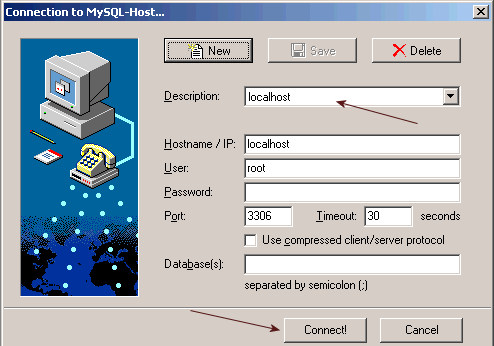
There are two default database installed from the previous MySql
installation
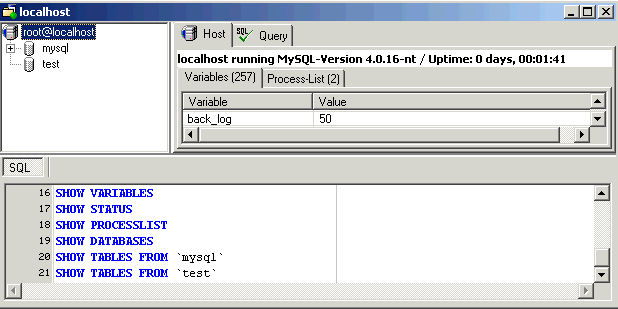
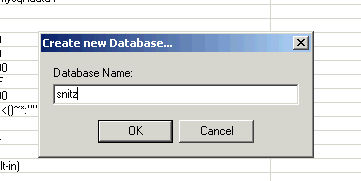
First create a new database where we put the table of our snitz db
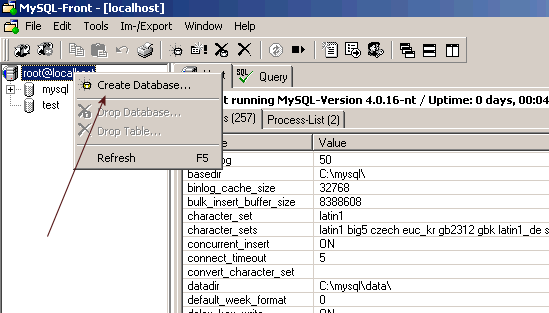
Give it a right name ;-)
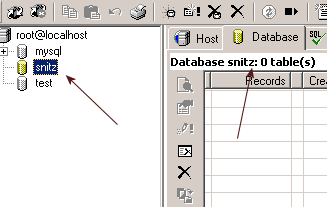
select database on the left ( it has 0 tables)
from menu Im-/Export
choose ODBC Import

Choose MS Access File
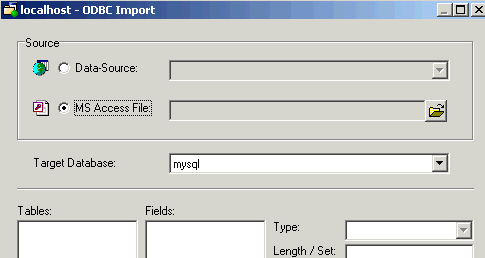
Choose the point to your Access db on your pc
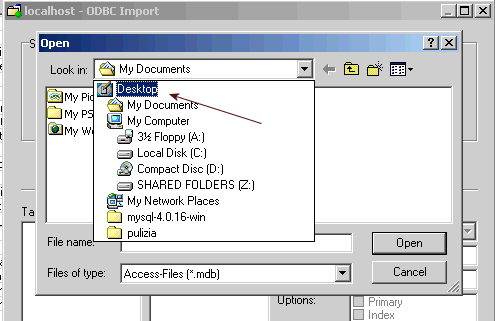
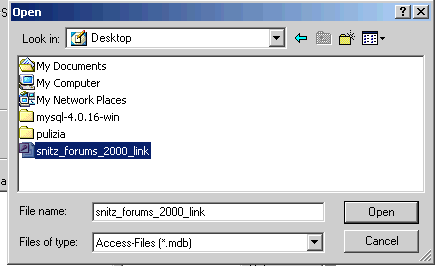
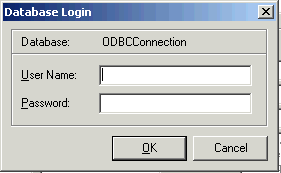
Let the fields username and password empty
Choose the destination of the tables that are going to be imported: select
the snitz database
you have created before and clikk on Import

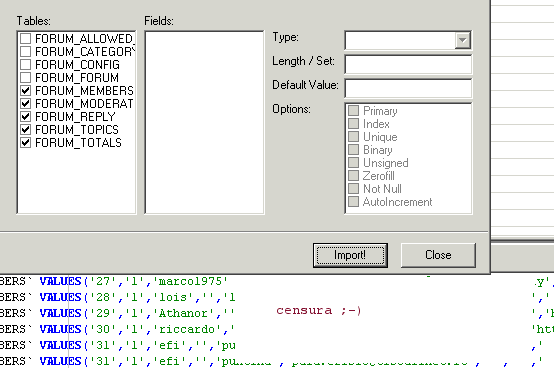
At the end the result is this:
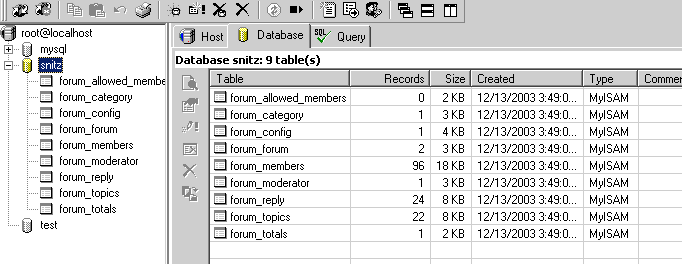
We have now all the tables and data in our mysql db
Export our data in a .sql file that is a text file with
all the insttructions to update a mysql db

Select all your tables and on the right select in What to export only data.
Choose the name and position of the .sql
file to be created
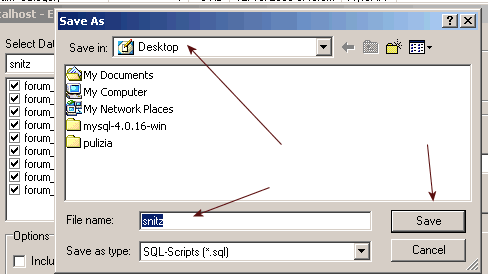
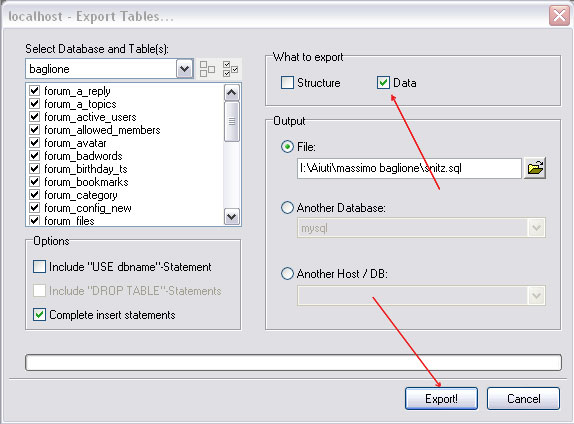
The snitz.sql will be saved where
you tell him..
You need to modify the file (create a backup copy first!!) . All the
table names need to be converted in upper case, as mysql on linux server is
case sensitive and the code is quite refrring to upper case table.
You can do it with a text editor (not with Front Page because it add
some code that can get a bad result).
I use Araneae, you can find it on the web, it is free and woprks very
well!!
Go on your php my administrator
Choose the db the forum has created
Select all the tables in the db
Choose empty if selected
Then go on SQL and
clikk on SQL and on the boutton Browse
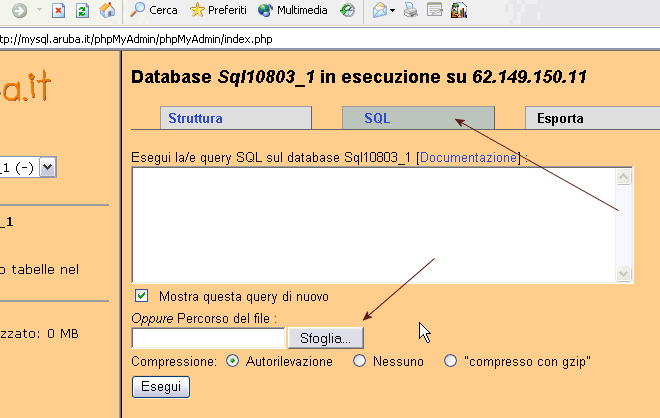
Choose your sql file you have modified
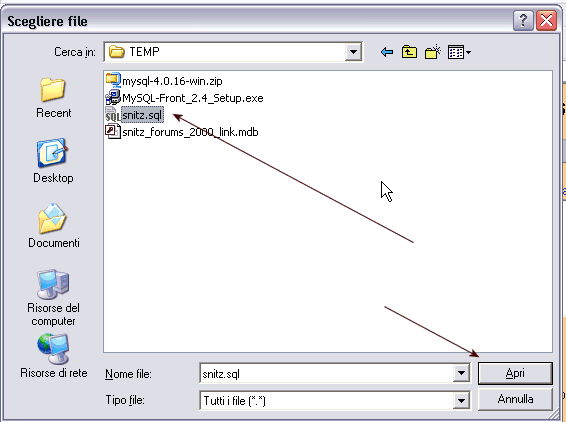
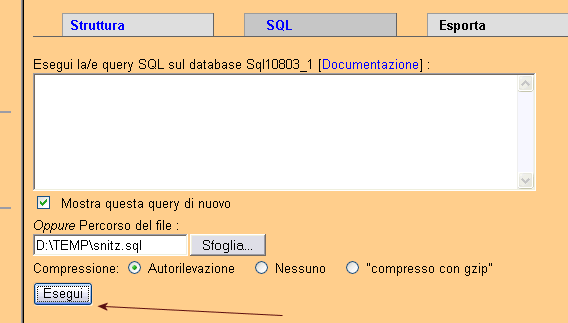
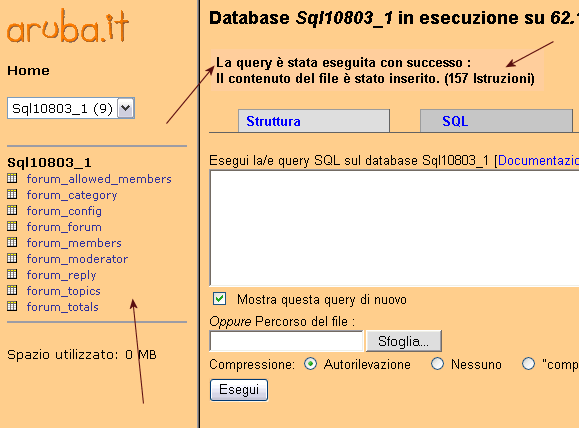
Your db is updated.
Last operation: open your file config.asp of your forum
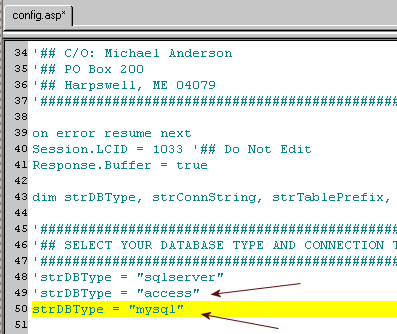
Comment the Access string and uncomment the Mysql string

Comment the access string and uncomment the mysql string.
The new string added for the new version of MySql is like this (may be
it is not in your config, add it ):
strConnString = "driver={MySQL ODBC 3.51
Driver};option=4;server=SERVER_IP;user=UID;password=PWD;DATABASE=DB_NAME;"
'##MySQL w/ MyODBC v3.51
put option= 16387 instead of
option=4
Upload your config.asp
From your forum run a check installation
Maybe in some files like those referring to
site links you can have the
tables called in lower case, you get an error.
Check the file and change the lower case to upper case (for example you
find Site_Links, change it to SITE_LINKS)
You can have the Edit by – on in all your post
To change it
Events aren’t show in red in the calendar..